Keeping Secrets Out of AI Coding Agents: What Each Approach Actually Protects
November 21, 2026 | 12 minutesIn This Post
- Start With What You Want to Protect
- File Exclusions Help, but Their Scope Matters
- Runtime Injection: Keep Plaintext Out of Project Files
- Encrypted .env Files: Protect Stored Values and Sharing
- Delegated Tools: Let the Agent Act Without Receiving the Token
- Where Workload Identity Fits
- Compare the Boundaries
- Check Your Setup With a Fake Credential
- Wrapping Up
You've added .env to .gitignore, so your API keys won't accidentally get included in a normal git add. Then you ask a coding agent to debug an authentication error. Can it read those keys? Can it run the application that uses them? Could a debugging command put them into the conversation?
Those questions depend on more than where the secrets are stored. They depend on the files, processes, and tools the agent can access.
Keeping a secret out of Git, keeping it out of model context, and preventing an agent from using it are three different goals. Encryption and runtime injection help with parts of this problem. To choose between them, we need to be precise about which part each one solves.
Start With What You Want to Protect
There are three useful questions to ask about any setup:
- Can the secret enter the repository? A plaintext credential in a tracked file can be copied, shared, or pushed. Ignore rules and encryption address different parts of this risk.
- Can the secret enter model context? Reading a file is one route. Terminal output, application logs, errors, and tool responses are others. A secret doesn't need to be committed to appear in a conversation.
- Can the agent use the credential? An agent might call an authenticated tool without ever seeing its token. That protects the token's value, but the agent can still exercise whatever permissions the tool grants.
Suppose you give a coding agent a database tool so it can inspect table schemas. The tool keeps the database password on the server, but accepts arbitrary SQL through an account with read and write access. The agent could retrieve customer records or delete rows without ever seeing the password. Keeping the password out of model context doesn't limit those actions. The tool's interface and database permissions must restrict access to the schema information the agent actually needs.
File Exclusions Help, but Their Scope Matters
Agents don't universally read every file automatically. Their access depends on the product, configuration, and tool path.
Cursor's ignore-file documentation lists .env* among its default exclusions and says it respects .gitignore. It also explicitly notes that terminal and MCP server tools can access files covered by .cursorignore. Excluding a file from ordinary context retrieval therefore doesn't establish that every available tool is unable to read it.
Claude Code's permissions let you deny file reads. Its documentation distinguishes built-in file tools and recognized shell commands from arbitrary subprocesses that open files indirectly. For operating-system enforcement on sandboxed shell commands, it points to sandboxing and disabling unsandboxed retries.
Codex's sandboxing documentation distinguishes read access from write access: read-only mode still allows file inspection, so it doesn't hide secrets. For local sandboxed commands, its permission profiles can explicitly deny reads and writes to sensitive files such as .env, .env.local, and .env.keys. The sandbox also covers commands spawned by the agent. These profiles are currently beta and must be configured instead of the older sandbox_mode settings. MCP servers, connectors, and approved escalations have separate controls, so a file restriction on sandboxed commands isn't a guarantee across every tool the agent can use.
This is why “don't read .env” in a project instruction file is different from an enforced access restriction. Instructions can guide behavior; permissions and isolation determine what an operation is allowed to do.
Keep .gitignore for preventing accidental tracking of untracked secrets, and use the agent's supported exclusions to reduce accidental context exposure. Then, check whether the same protection covers its shell and connected tools. Also remember that ignoring a file doesn't remove it from existing Git history.
Runtime Injection: Keep Plaintext Out of Project Files
A vault or password manager can supply credentials when an application starts, so you don't need to keep their plaintext values in a project .env file.
For example, 1Password's op run resolves secret references and passes the values to a subprocess as environment variables. A reference file might contain:
1# .env.references contains references, not secret values 2API_KEY=op://dev-vault/example-api/credential 3DATABASE_URL=op://dev-vault/postgres/connection-string
After setting up and authenticating the 1Password CLI, start the application that needs those credentials like this:
1op run --env-file=.env.references -- node server.js
Keep the default output masking enabled. It helps avoid accidental disclosure in output, but it doesn't remove the values from the receiving process. Limit the vault access granted to the CLI as well.
The Receiving Process Is the Important Part
If you instead launch the coding agent through op run, you're giving the credentials to the agent process. Commands it launches may inherit them. That setup avoids a plaintext project file, but still gives the agent a route to the values.
Launching the application separately avoids that direct inheritance into the agent. However, a separate terminal alone isn't a security boundary. If the agent can modify server.js before you run it, it can add code that prints or transmits the injected value. Depending on the operating system and permissions, access to other processes may also matter.
For local testing, give the agent an environment with synthetic data and credentials that work only in that environment. For example, run a disposable database containing fake customer records and let the agent use its development password to start the application and run integration tests. The agent can read that password; the protection comes from making sure it grants no access to production systems or real customer data. Run tests requiring sensitive credentials separately, against reviewed code in a controlled environment.
If the agent can modify and run application code that receives a secret, it can generally make that code reveal the secret. Runtime injection alone can't prevent that. It also can't guarantee that an application never writes a secret to a log or crash report.
Encrypted .env Files: Protect Stored Values and Sharing
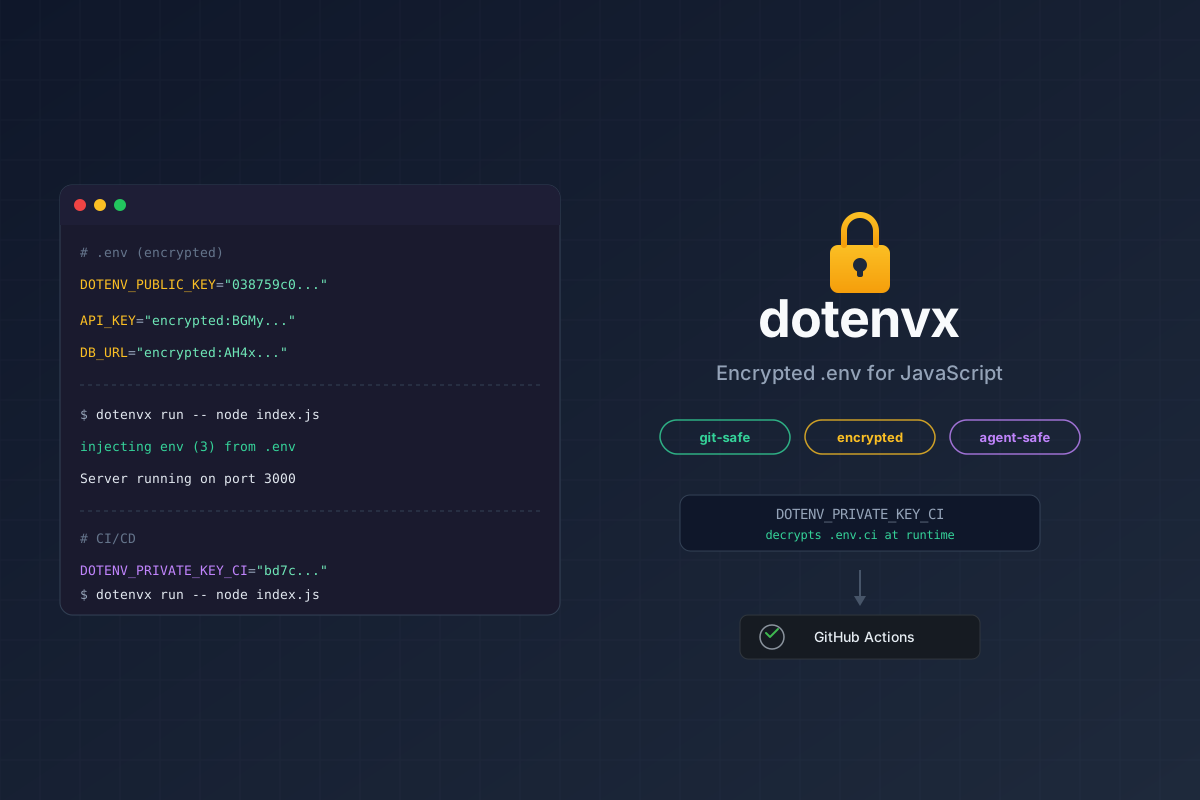
dotenvx keeps the familiar .env format while encrypting values. This lets a team version and share encrypted configuration through Git, with access to decryption keys managed separately.
With the local .env.keys storage option, dotenvx stores the private key alongside the encrypted file and reads it automatically when you run your application. The encrypted file can be committed after checking its contents; .env.keys must remain out of Git.
An agent that can only read the ciphertext cannot recover the plaintext without the key. An agent that can also read .env.keys, obtain the key from its environment, or invoke a decryption command has a different level of access. Putting many secrets behind one readable key doesn't, by itself, restrict the agent. The question is who can obtain or use that key, including through tools that decrypt on their behalf.
Separate keys for development, CI, and production can limit exposure when their access is also separated. Keeping every environment's key in the same agent-readable file defeats that separation for the agent.
Use encryption when you want to share encrypted configuration through Git. Pair it with restrictions on key access and on the code allowed to run with decrypted values. The dotenvx walkthrough covers the file-encryption and CI setup.
Delegated Tools: Let the Agent Act Without Receiving the Token
Another option is to keep credentials in a service outside the agent's execution environment. The agent requests an operation and the service authenticates to the provider and returns a result.
For example, Composio's managed authentication stores connected-account credentials and adds them to provider requests on the server. In that flow, the model receives tool results rather than the provider's tokens. Its documentation for custom tools also makes clear that your application still needs to authenticate callers and enforce authorization.
Credential brokers can provide a similar boundary for code running in a sandbox. For example, a test process inside the sandbox could use a placeholder API key to call a staging service. A trusted proxy outside the sandbox checks the destination and substitutes the real, scoped credential before forwarding the request. The agent can edit and run the client code without the real key being placed in its files or environment. OpenAI's sandbox security guidance describes this placeholder-and-proxy pattern for hosted sandboxes and recommends an external trusted proxy or server for self-hosted environments.
The broker and its configuration must remain outside the agent's control. Restrict which destinations can receive credentials, and use credential scopes and service-side authorization to limit the permitted operations. An allowed host alone doesn't distinguish a harmless lookup from a destructive API call. The agent still receives the response and can exercise the access the broker grants; keeping the key hidden doesn't make every authenticated request safe.
The same architectural idea applies to an internal service. A coding agent could request a query against a test database through a restricted tool while the service holds the database credential. The agent doesn't need a general-purpose database connection string.
The protection depends on the interface you expose. A tool that accepts arbitrary URLs or commands can grant far more power than one that performs a specific operation. Scope access to the intended user, resource, and action; protect the credential used to call the intermediary; and ensure responses and logs don't disclose upstream secrets.
MCP can expose this kind of service, but the protocol alone doesn't determine the boundary. A local MCP server with broad filesystem access and a remote service exposing one restricted operation have very different permissions.
Where Workload Identity Fits
If you're building agent services, you may need to identify the process making a request. SPIFFE defines a standard for workload identity, and SPIRE implements it by verifying workloads and issuing short-lived identity credentials.
For example, an agent runner could authenticate to a credential broker using its workload identity. The broker could then apply a policy allowing that runner to access staging services while denying production access. This avoids distributing a long-lived shared API key to identify the runner.
The identity establishes which workload is calling, but not that the agent's requested action is safe. The broker still needs authorization rules, and the workload's credentials and execution environment still need protection.
SPIRE requires supporting infrastructure, so this pattern is most relevant when you're deploying agent services. It complements secret storage and delegated tools, but it doesn't replace the protections around a coding agent's local development credentials.
Compare the Boundaries
| Approach | Main benefit | What you still need to control |
|---|---|---|
| Git and agent ignore rules | Reduce accidental tracking and context inclusion | Shell access, other tools, and already-tracked files |
| Runtime injection | Avoid plaintext project secret files | Receiving processes, executable code, logs, and vault access |
Encrypted .env files | Version and share encrypted configuration | Decryption keys and commands that can use them |
| Delegated tools and credential brokers | Keep provider tokens outside the agent's environment | Allowed operations, caller authorization, and returned data |
| Workload identity | Authenticate an agent runner or service | Identity credentials, execution isolation, and authorization |
These approaches can work together. For local coding, I would start with fake or narrowly scoped development credentials, configure file exclusions and execution permissions, and keep production credentials outside the agent's environment. Then choose storage and runtime access based on what the application actually needs.
Check Your Setup With a Fake Credential
You can test these distinctions without exposing a real secret. Use a disposable project and a value such as demo-key. The steps below are an exercise to run in your own environment, not measured results for particular agent products or versions.
Start with a scratch Git repository in a Bash-compatible shell:
1demo_dir=$(mktemp -d) 2cd "$demo_dir" 3git init -q 4printf '%s\n' 'DEMO_API_KEY=demo-key' > .env 5printf '%s\n' '.env' '.env.keys' > .gitignore 6git check-ignore .env
Open only this project in your coding agent. Record the agent version, permission mode, sandbox configuration, and enabled tools. Use a fresh session for each case so a previous reading of the fake value doesn't contaminate the next result.
| Case | What to try | What the result tells you |
|---|---|---|
Gitignored .env | Request a read of .env through the file tool, then a shell read such as cat .env | Whether exclusion from context and shell access are controlled separately |
Encrypted .env, accessible .env.keys | Encrypt the fake value with dotenvx, choosing local key-file storage if prompted; request the fake value through dotenvx run -f .env -- node -p 'process.env.DEMO_API_KEY' | Whether the agent can invoke decryption even when the file itself contains ciphertext |
| Credential injected into the agent process | Start a fresh CLI-agent session with only the fake DEMO_API_KEY added to its environment; request node -p 'process.env.DEMO_API_KEY' | Whether a command launched by the agent inherits the injected value |
| Credential held by an isolated service | Put the fake credential in a separate environment the agent cannot inspect or modify; expose a fixed operation such as a test-account lookup | Whether the agent can perform the intended operation without receiving the raw value |
For the isolated-service case, also try an operation that should be forbidden, such as requesting another test account. Confirm that the service rejects it and that responses and logs available to the agent don't reveal the fake credential. Just moving a file to another directory or starting a second local process doesn't create this isolation.
Record whether each attempt was blocked by a tool or operating-system restriction, required approval, succeeded, or was declined by the agent. Don't change permissions to force a result, though. A refusal doesn't mean that access is technically impossible, and a successful check only covers the paths you tested.
The useful outcome is knowing which boundary your setup enforces. An encrypted file plus an accessible decryption command protects something different from a service that never returns its credential.
Wrapping Up
Start by deciding what the agent needs to do. It may need example configuration to write code, a limited development credential to run tests, or permission to call one authenticated operation. Each need calls for a different amount of access.
Use exclusions to reduce accidental context exposure, encryption to protect stored configuration, and runtime injection to avoid plaintext project files. When the agent must act without receiving a credential, put that credential behind an isolated service with explicit authorization.
Before trusting the setup with real secrets, test it with fake ones. Check what the agent can read, what its commands inherit, and what its tools can do. Those results will tell you more about the protection you've built than the choice of secret-storage tool alone.