Engineering case study
Plant Pairings
A companion planting field guide and interactive 3D garden planner with cited pairing guidance, seasonal filters, and USDA zone information.
I started Plant Pairings while planning my community garden. Looking up individual plants was straightforward, but deciding how to arrange them meant comparing growing notes and companion-planting advice across sources. I wanted a place to bring that information together and experiment with garden layouts.
The project has grown from a simple plant-pairing lookup into a field guide and interactive garden planner. I rebuilt the interface around illustrated plant cards, easy-to-read growing guides, and a 3D view that connects placement decisions to the available evidence.
A field guide for planning
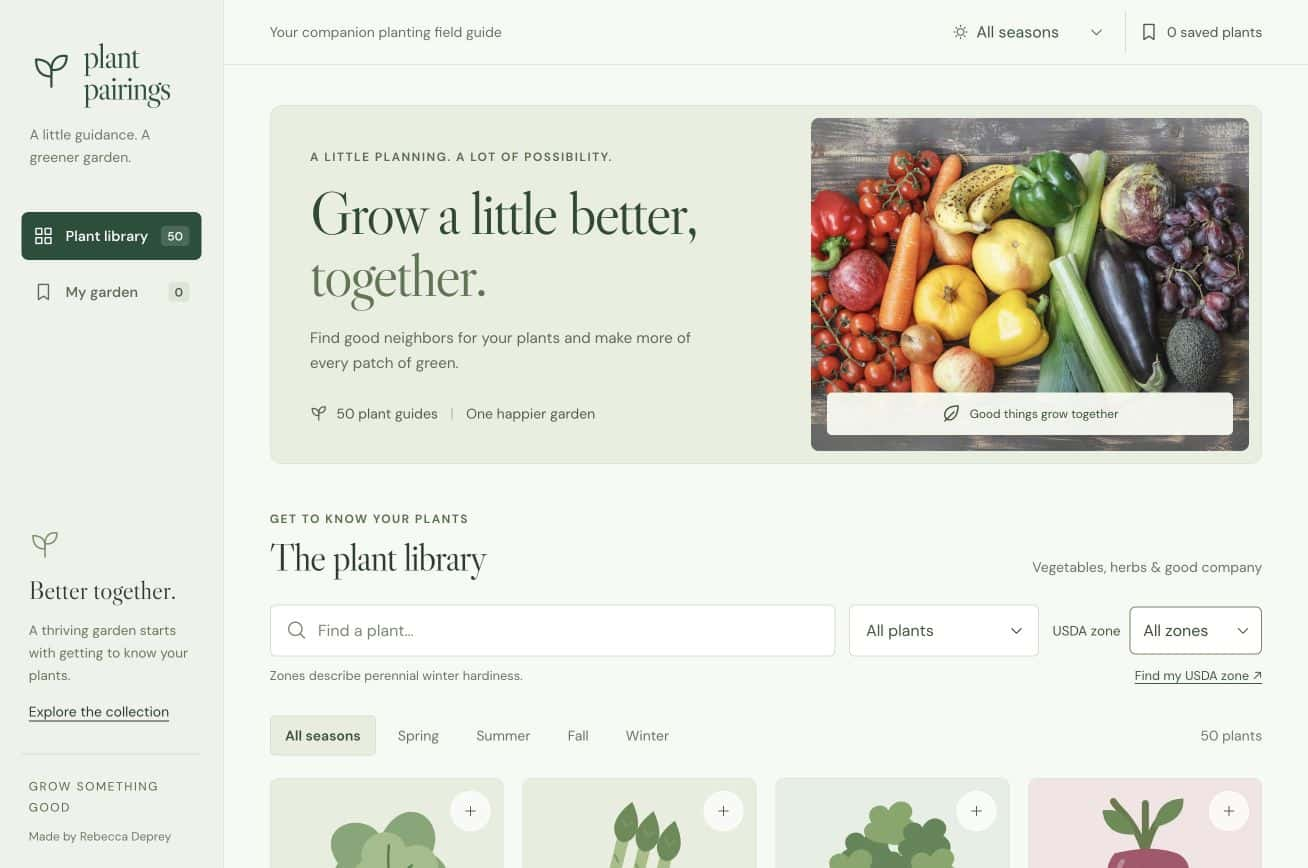
The library includes 50 vegetable, herb, and flower guides. Gardeners can search by name, filter by category or planting season, and save a collection of plants to revisit. Each guide brings together growing conditions, sowing notes, climate guidance, and the recorded pairing observations for that plant.
Location can set a broad season from the user's hemisphere and the current month, with a manual override in the header. Only the hemisphere is remembered. A separate USDA zone selector helps users assess perennial winter hardiness; seasonal crops remain visible because a hardiness zone alone cannot determine planting dates or whether a crop will mature locally.
Showing what the evidence supports
A central part of the redesign was replacing unsupported friend-and-foe lists with cited observations. Pairing notes retain the source's context: an interplanting example, a study in a greenhouse, or a succession plan can mean very different things for a gardener.
The interface distinguishes potential companions, separation cautions, crops intended for different planting times, conditional findings, and trials that found no benefit. When the catalog has no sourced guidance for a pair, it says so. Missing evidence is not presented as proof that two plants are compatible or incompatible.
An interactive 3D garden
The My Garden feature turns the saved plant collection into a movable planting diagram. Users can drag plants to new slots, swap their positions, rotate and zoom the view, view it in 3D or 2D, or use row and column controls for precise placement. A suggested-layout action uses the catalog's pairing observations as a starting point, and the neighbor panel updates as plants move.
The planner supports square grids and a long, narrow raised-bed shape with a 3:1 ratio. Its grid expands to fit the collection. Hover labels identify the plants, while nearby-plant notes explain the recorded guidance and link to its sources. An example garden provides a place to experiment without changing the user's saved layout.
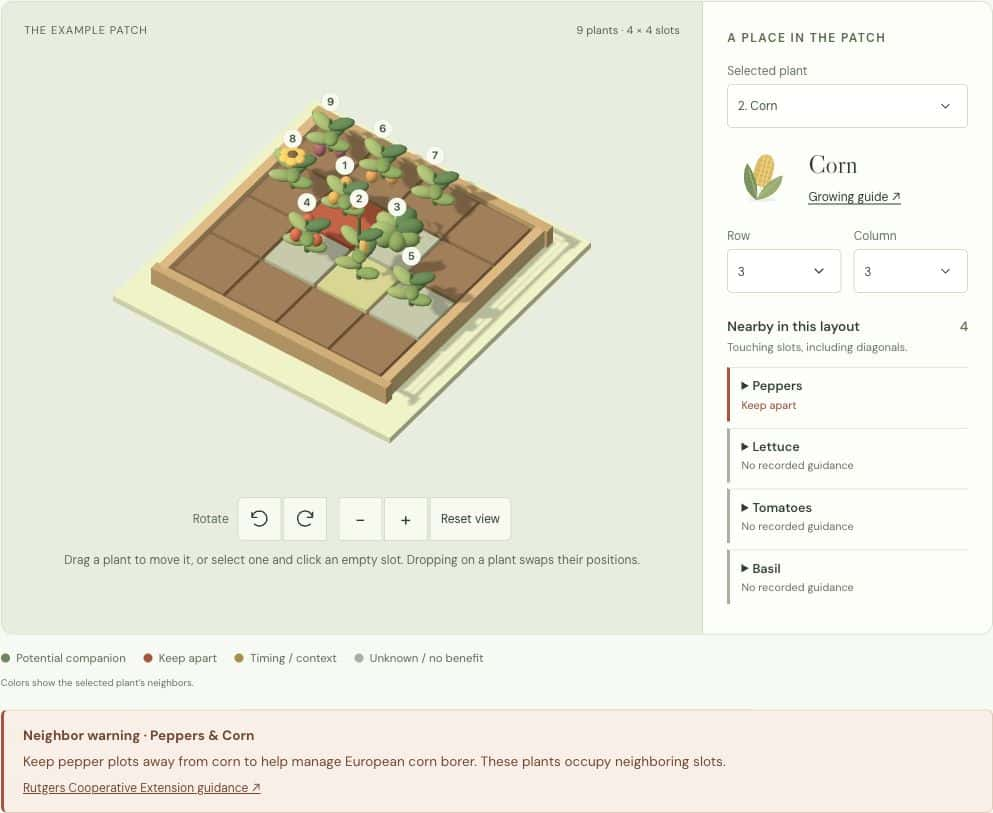
The diagram is a planning aid, not a measured spacing plan. Each marker represents a saved plant type rather than an individual plant count. The app does not infer mature size, sunlight, soil conditions, or local frost dates, and moving a warned pair apart does not establish a safe physical distance.
Rebuilding for the browser
I replaced the original React and Firebase data layer with a React, TypeScript, and Vite application backed by a versioned plant catalog. Keeping plant records, sources, and pairing observations together makes the guidance easier to maintain and validate.
Three.js powers the 3D view and loads when the planner opens. The scene renders when it changes rather than running a continuous animation loop, and a 2D grid provides an alternative when 3D graphics are unavailable. Native controls also make placement possible without dragging.
Saved plants, layouts, and preferences stay in browser storage and synchronize across tabs. No account is required. The result is a responsive tool that connects researching plants with trying a garden arrangement, while keeping the limits of its guidance visible.