Engineering case study
Accessible Plugin Generator
An AI-assisted workflow that helps users define, test, and refine Sudowrite plugins. Increased total monthly plugin creation by over 260% relative to monthly creation levels across the previous year.
Software engineer, designer
- Typescript
- React
- XState
- Custom LLM Orchestration Service
- Langfuse
At Sudowrite, I designed an AI-assisted workflow that makes plugin creation accessible to everyone, no prompt engineering experience required.
Users describe their goal in plain English, and the system uses an LLM to generate, test, and refine a working plugin definition behind the scenes.
Here are some example inputs:
- “I want a tool that helps me rewrite dialogue to sound more natural.”
- "Find all places where the point of view slips from third person past tense to third person omniscient."
- "Rewrite the passage from a different character's point of view."
Problem
Most users found prompt-based plugin creation intimidating and overly technical:
- They had to write structured prompts manually
- They had to know how to think like an LLM
- Trial-and-error testing was slow and unpredictable
This led only a small group of technical users built plugins at all.
My goal was to abstract away prompt-engineering expertise, letting users describe their intent naturally while the model generated and optimized its own task instructions.
Solution
I designed an AI-guided creation flow that asks users a plain-language question about their goal and automatically generates a prompt that's structured for Sudowrite's plugin system.
Key design goals:
- Keep users in natural language.
- Make the generated prompt editable.
- Provide safe iteration by letting users preview plugins before publishing them.
Example flow:
- Describe your plugin’s purpose.
- AI generates and structures the prompt. It also categorizes the plugin based on existing categories and its knowledge of the prompt.
- Preview and test the generated prompt with sample inputs.
- Publish or iterate further.
Step 1: Describe Your Plugin
Implementation
The Accessible Plugin Generator was built as a three-step process that guides users from idea to deployment, with all UI state and logic modeled in XState for clarity and reliability.
Frontend
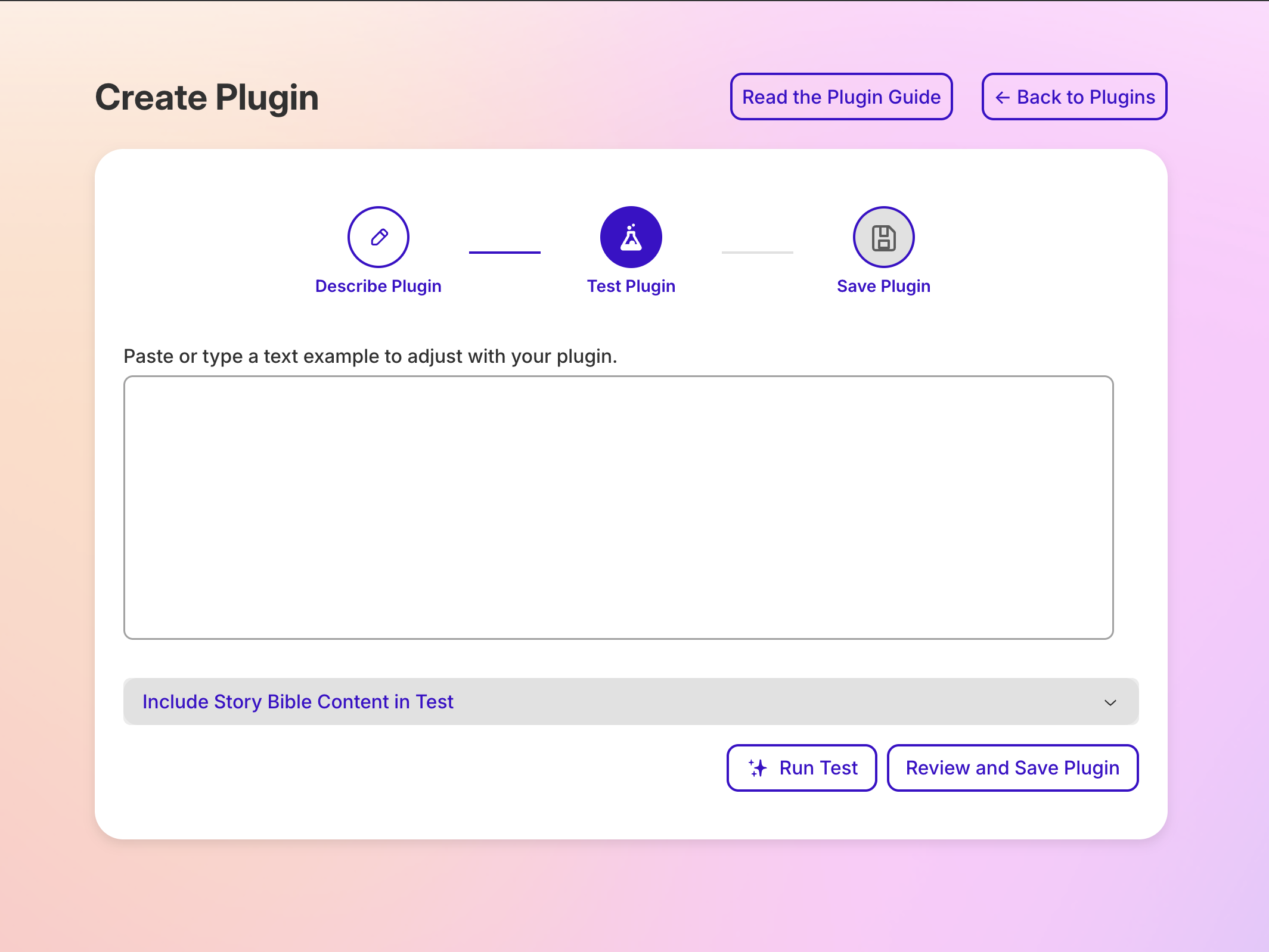
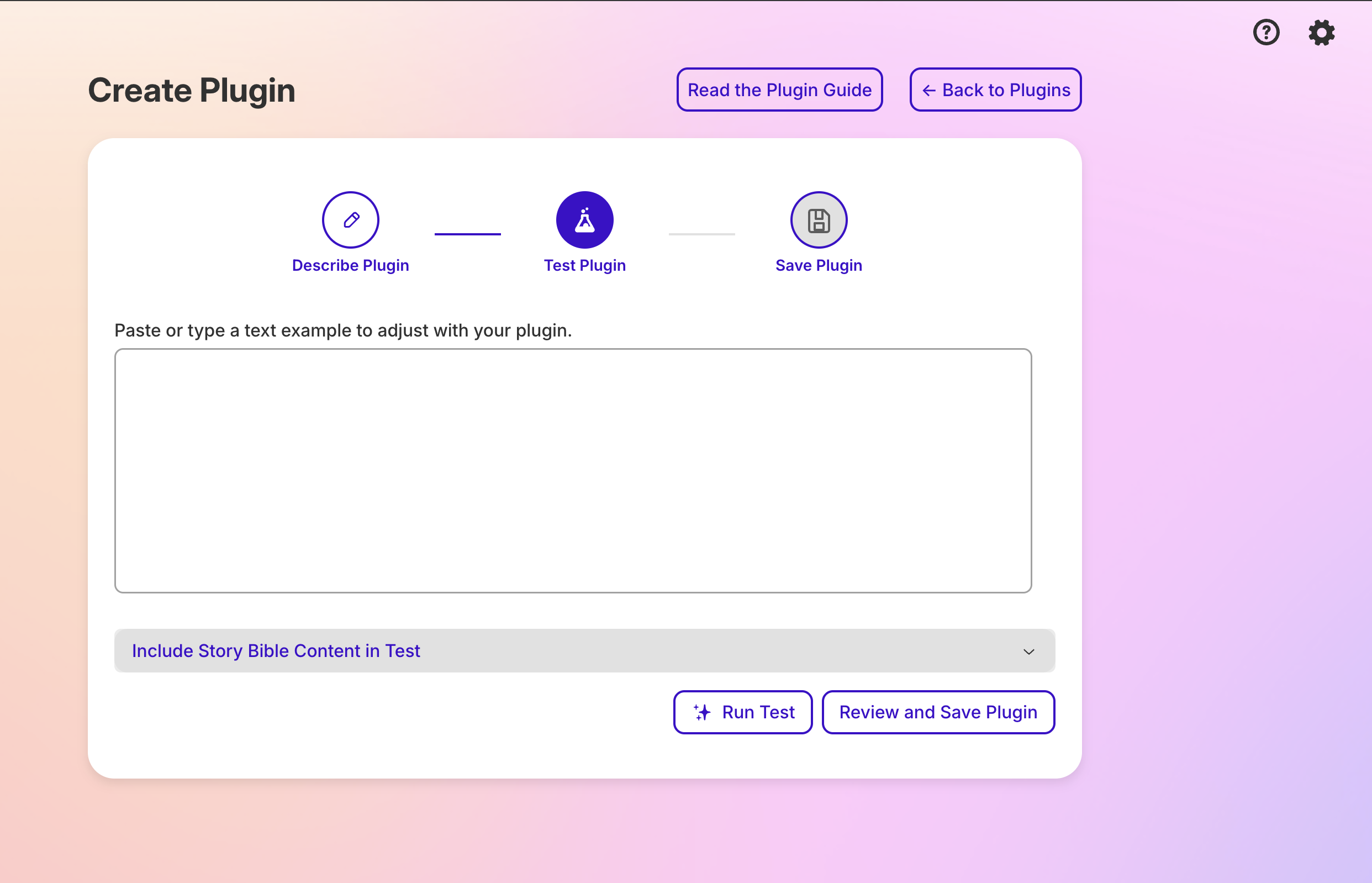
The user interface walks users through three stages:
-
Describe your plugin – Users answer a single, open-ended question: "What do you want your plugin to do?" This input provides the foundation for generating the plugin's underlying instructions.
-
Test your plugin – The system generates the plugin's internal prompt and displays a test interface where users can try sample inputs. Only fields relevant to the plugin's behavior are shown, creating a clean, contextual testing experience.
-
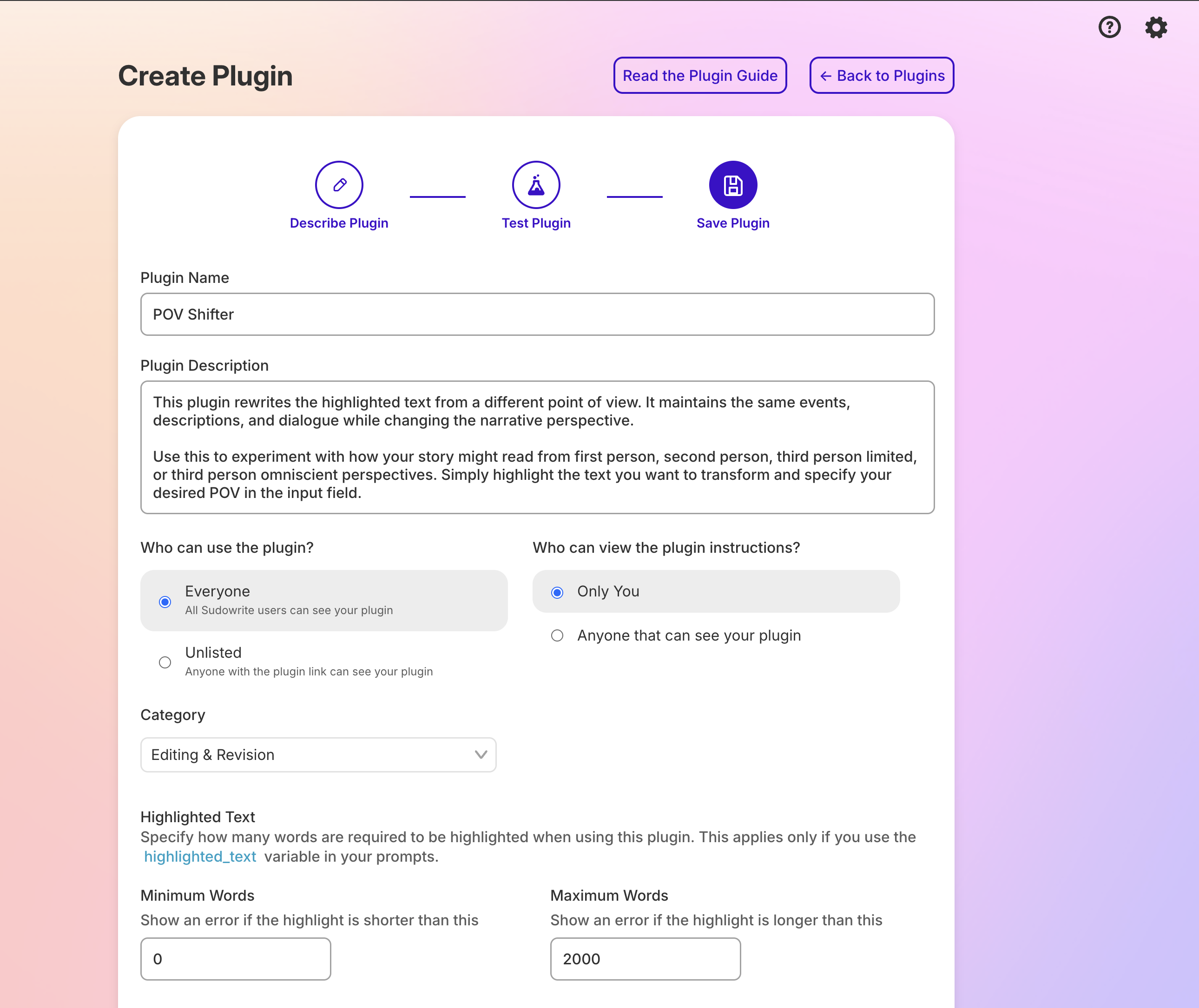
Finalize your plugin – Users review metadata and configuration options:
- Category: auto-suggested by the AI, but editable by the user
- Model selection: choose from available LLMs
- Visibility: private (creator-only) or public
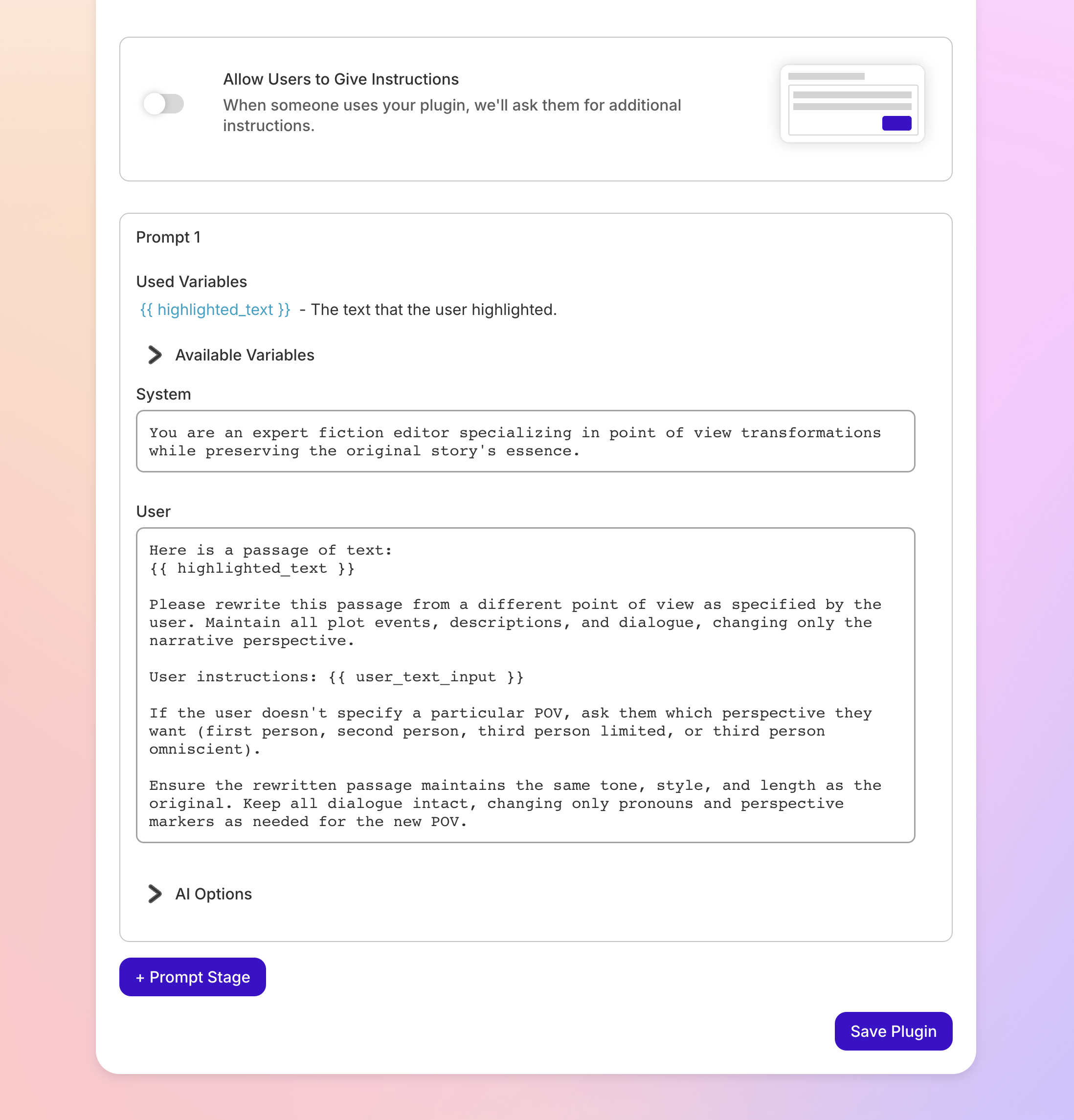
- Prompt editing: optional advanced mode to refine or override the generated prompt
All transitions between steps and sub-states are controlled by XState, ensuring predictable UI behavior and allowing the entire flow to be visualized as a state machine. This made it easy to extend, debug, and test as the product evolved.
Backend
The backend relies on a custom LLM orchestration service to handle plugin generation and categorization.
When the user submits their idea in step one, the service calls an LLM with a structured system prompt containing:
- Rules and constraints for valid plugin definitions
- A taxonomy of available plugin categories
- Instructions for generating both the plugin prompt and its metadata
The LLM returns a JSON object containing the plugin’s instructions, its suggested category, and short descriptive text. This approach allows consistent, interpretable results across users while maintaining flexibility for new categories and prompt types.
Tracing
All LLM requests are traced with Langfuse. This observability layer has made it possible to debug generation issues quickly and measure how changes to prompts affect output quality over time.
Results
In the month after launch, total plugin creation increased by over 260% relative to the monthly creation levels recorded across the previous year. This measured all plugins created rather than unique creators.
This workflow is one example of the broader principle I use in production AI systems: let the model interpret a user's goal, then use software to validate and control what happens next. See the Reliable AI Agents guide for the larger architecture and related writing.